2026 may become both the most promising and the most demanding year to start or scale an OnlyFans account.
Apply Now
Thank you! Your submission has been received!
Oops! Something went wrong while submitting the form.


Your ideal first post on OnlyFans is a pinned introduction post combining a 30–60 second vertical video with 3–5 high quality photos, published the same day your page goes live. Including both video and multiple photos is an important element in establishing value and attracting subscribers, as it demonstrates a substantial and diverse media library right from the start. This format gives potential subscribers everything they need to decide within seconds.
Your pinned intro should include your name or stage name, your specific niche (think “tattooed goth gamer girl” or “gym couple from London”), what fans receive weekly including frequency and formats, and a clear call to action like “sub, tip, or DM me for customs.”
Here are concrete example concepts that work: a “Gym Babe in Berlin” leg day teaser set filmed in natural light with a flirty 45-second intro, a cosplay intro in a 2025 Spider-Gwen costume featuring in-character dialogue, or a “Fit Guy from Manchester” glute workout teaser promising weekly training videos.
Your first post should be a pinned welcome video and photo set that shows your face, vibe, and exactly what subscribers get.
OnlyFans launched in 2016 and remains heavily associated with adult content creators, but the platform has expanded significantly. By 2026, OnlyFans creators earn money through fitness coaching, cooking lessons, music fan clubs, and educational content alongside explicit material. With millions of active creator pages, OnlyFans creators need to stand out and use strategic thinking from day one.
Your first post functions as the “shop window” for cold traffic arriving from social media platforms like Twitter/X, Reddit, TikTok, and Instagram. Most visitors decide whether to subscribe or bounce in under 10 seconds. That’s not enough time to scroll through your feed—they’ll judge your entire onlyfans page based on what they see immediately.
For new creators launching in March or April 2026, treating your first post as a conversion tool rather than just content is essential. The competition has never been higher, and first impressions determine whether you gain new subscribers or lose them permanently.
Before you film anything, you must know exactly what you will and will not do on your page. Write down your limits on paper: no face, no explicit acts, no collabs, no real life meetups, or whatever boundaries feel right. This clarity prevents regret and subscriber confusion later.
Concrete niches thriving in 2026 include:
Check the OnlyFans Terms of Service for 2026 banned content before filming. Your first post must clearly fit within platform rules and match your chosen niche from day one to avoid confusing your target audience.
Your first post should not be created until the boring setup is complete. Rushing past these steps causes problems that are difficult to fix later.
Verification requires submitting a government ID, selfie, your real name, and bank account details. This process can take up to 72 hours and may appear as “Fenix International” on your banking information statements. Plan accordingly so you’re not waiting to post after you’ve already promoted your launch.
Privacy protection matters before your first upload. Block your home country or city in OnlyFans privacy settings if you’re concerned about people pay attention to your real identity. Turn on DRM video protection before posting any videos to prevent easy downloading, and consider following a dedicated guide on launching an anonymous OnlyFans profile if you want to stay fully private. Disable contact syncing on Instagram, TikTok, and X so the algorithm doesn’t suggest your creator account to real life contacts.
Choose a permanent username and search-friendly display name matching your first post persona—something like “LunaLifts – Thick Gym Girl From Manchester” that immediately communicates your niche.
Create a branded email address and separate social media channels before posting. If your intro video mentions “follow me on Twitter,” that twitter account needs to exist with your onlyfans link ready in the bio. Also, create a Reddit account for promotion, choosing a username that matches your OnlyFans profile to help with effective promotion in relevant subreddits.
This is the core section explaining what goes into your pinned welcome message. The recommended format is one free-to-view pinned post containing a short talking-head video plus a small photo set of 3–5 images. As part of your content strategy, make sure to post videos regularly to engage new subscribers and keep your audience interested.
Your video should include a greeting with your name or stage name, a general location like “US West Coast” or “UK London,” a clear statement of what you post such as “3 explicit videos plus daily selfies each week,” specific posting days like “every Monday, Wednesday, Friday,” and information about how fans can request custom content through direct messages.
The tone depends on your niche. Warm and flirty works for girlfriend-experience styles. Confident and dominant suits fetish content. Instructional and encouraging fits fitness coaching. Film in good natural light with your face clearly visible if comfortable, or develop a consistent masked aesthetic if staying anonymous. Personalized content and authentic interactions, such as responding to direct messages, help build a deeper connection with your fans.
Here’s a sample 40-second welcome script for a creator launching on 22 March 2026:
“Hey loves, I’m Luna from Manchester—your thick gym girl dropping leg day vids every Tuesday and glute-focused content on Fridays. I’m just getting started here, and I want to make this space all about you. Tip this intro if you want me to show more behind-the-scenes, and slide into my DMs if you want something custom made just for you. Let’s build something fun together—hit that subscribe button and let’s play!”
Adapt this structure to your persona, keeping energy high and the value proposition crystal clear.
You don’t need expensive equipment to create content that looks high-value. A modern smartphone from 2024 or later handles everything you need for your first post, especially when paired with a solid understanding of how to set up your OnlyFans account and profile basics.
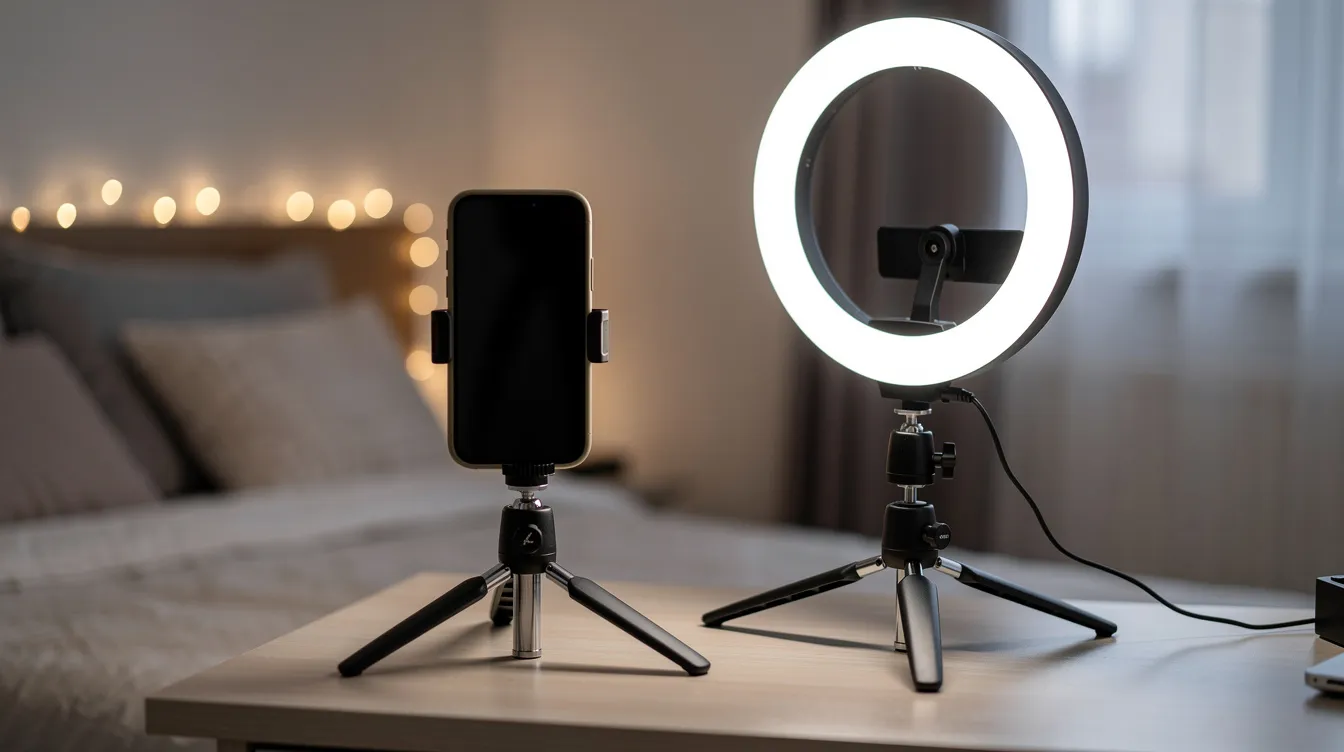
Lighting makes the biggest difference. Film during daylight hours near a large window, positioning yourself facing the light source. Avoid overhead yellow lighting that casts unflattering shadows. If natural light isn’t available, a simple ring light or desk lamp bounced off a white wall works well.
Frame your shot vertically in 9:16 ratio for optimal display on mobile devices where most users browse. Position the camera at eye level using a cheap tripod or stacked books—never shoot looking down at yourself from above unless that’s a deliberate aesthetic choice. Keep the background clean with no personal documents, visible mail, messy laundry, or identifiable details.
Free editing tools like CapCut or VN handle trimming, adding captions, and blurring sensitive background details, and pairing polished visuals with strong OnlyFans captions ideas with examples makes each post feel more intentional and engaging. Before uploading, run through a quick checklist: sound is clear without echo, lighting is even across your face and body, background contains nothing personal, and your username watermark appears on both video and photos.
This perceived value from good camera work and lighting converts visitors into onlyfans subscribers far more effectively than grainy, dark content.

These scenario-based examples show structure you can adapt rather than copy directly. Each demonstrates how different niches approach the same goal of hooking new fans immediately.
Soft-launch lingerie set with shy talking intro: Red lace set against a minimalist white wall. Three photos showing different angles without full explicit content. A 30-second video where the creator speaks softly, introducing themselves as new to the platform and promising weekly boudoir sets every Friday. Caption emphasizes the intimate, girlfriend-experience vibe.
Hardcore explicit intro with clear kink list: Black gym leggings, confident posture, direct eye contact. A 45-second video listing specific content types available: feet, roleplay, JOI, and customs. Photos show face and physique clearly. Caption states posting schedule (Monday and Wednesday explicit drops) and invites DM requests for specific scenarios.
Fitness coach glute workout teaser filmed in February 2026: Home gym background with visible weights. Tight athletic shorts, natural sweat. A 45-second demonstration of a glute exercise with instructional voiceover. Photos show form from multiple angles. Caption promises full workout routines for subscribers and offers custom training plans via DM.
Cosplayer doing in-character intro in a 2025 anime maid costume: Playful low angle, bedroom decorated with posters. A 30-second video staying in character, welcoming viewers to “the café” and promising new cosplay content every Friday plus behind-the-scenes photos. Photos capture the full costume from multiple angles.
These examples highlight the versatility of content formats that OnlyFans offers, including photos, videos, and behind-the-scenes content, allowing creators to showcase their unique style and engage subscribers in different ways.
Each example includes specific aesthetics, clear content promises, and direct calls to action—the formula that converts visitors into paying fans and fits neatly into a broader getting started on OnlyFans step-by-step guide for beginners.
Three main options exist for monetizing your first post: a free feed post on a paid page, pay per view content sent through DMs, or a free page where everything is ppv content. Choosing the right niche and content type can help creators make the most money on OnlyFans, as certain niches and strategies tend to attract more subscribers and higher earnings.
For most new creators in 2026, the first post should be free to view for anyone who subscribes, even on a paid page with a monthly subscription fee. This reduces friction and lets potential subscribers see proof of quality before deciding on any additional purchases.
Your first post should not be PPV-locked. New fans need to see that your content strategy delivers value before they’ll pay extra for exclusive content. Starting with paid content before demonstrating worth creates a poor first impression and increases refund requests.
A better approach: make your first post free, then send a follow-up pay per view teaser or full scene via DM within 24–48 hours of launch. This gives subscribers something to engage with immediately while introducing your ppv content model and aligns with broader OnlyFans management tips for account growth.
Include a clear note in your first post caption about page structure. If you run a free onlyfans page with all paid content, state that. If you charge a monthly fee with occasional PPV extras, explain it upfront. Transparency builds trust with your target audience.
The caption sells just as hard as the media itself. Many creators focus entirely on photos and videos, then add a throwaway caption that wastes valuable conversion opportunity, even though smart wording is a core part of how to promote OnlyFans and make money.
Structure your caption with 1–2 lines of welcome, 2–3 lines explaining what subscribers get including frequency and content types, one line about customs or DMs, and one clear call to action such as “Tip this post if you want more of this style.”
Here are three fully written sample captions:
Gamer girl persona: “Hey gamers! PixelPrincess here from the US West Coast. I’m dropping daily cosplay selfies plus explicit gaming streams every Friday night. Love taking requests—DM me your favorite characters and let’s make something fun. Sub now and let’s play! (Spring 2026 launch, so excited to meet you all)”
Fit guy persona: “Built for you, bro. Monday and Wednesday gym vids showing the full routine, plus pose customs for anyone who wants specific muscle focus. This free page gives you the teasers—tip this intro to unlock the good stuff in your DMs. Let’s get after it.”
Anonymous feet page: “Soles for your soul. Weekly sets every Tuesday and Thursday featuring freshly painted toes and whatever positions you request. I stay anon but my feet don’t lie. Join the worship and tell me what color polish you want next.”
Avoid spammy hashtag stuffing in captions. Keep any tags subtle and relevant. The tone should match your niche—playful, dominant, romantic, or instructional—and this personality should be obvious from your very first words.
Your first post should usually be pinned so every new visitor sees it at the top of your feed immediately. To pin a post on OnlyFans in 2026, click the three dots on the post and select “Pin to top.” This keeps your welcoming image and introduction visible regardless of how much onlyfans content you add later.
Before promoting your page anywhere, upload at least 5–10 additional posts so your first post doesn’t look lonely. Include a mix of photos, short clips, and text posts. This gives visitors confidence that you’re serious about posting content regularly. Consistent content posting is key to attracting and retaining subscribers, so plan your updates and keep your feed active from the start.
Group early posts into rough themes: behind-the-scenes selfies, full-body shoots, short talking clips. Note that OnlyFans doesn’t have folders on the main feed, so organization happens through consistent posting rather than categorization.
Your pinned first post should stay consistent even as more explicit or varied content appears below it. New subscribers from social media sites always see a clean, professional introduction first, then can scroll to explore your evolving great content library.

Most regrets come from rushing the first upload. Taking an extra day to get it right beats publishing something you’ll cringe at within a week.
Common errors include posting low-light, grainy selfies that make your page look amateur before visitors even see your personality. Not showing enough of yourself—physically or personality-wise—fails to build the fantasy connection that makes people pay for exclusive content. Over-promising daily posts leads to burnout; stick to sustainable schedules like three posts per week that you can actually maintain.
Background reveals create permanent problems. Real names on mail, employer logos on shirts, distinctive furniture that friends might recognize—these details can’t be taken back once published. As a best practice for online safety, always check every frame for personal information before uploading.
Avoid dropping extremely explicit content in your very first post if you’re uncertain about your boundaries. The internet is permanent, and other platforms may screenshot your onlyfans content. Starting softer gives you room to escalate based on comfort rather than regret.
Some new creators send free content in direct messages trying to hook early fans. This trains subscribers to expect free custom content and devalues your work. Require upfront payment even in week one.
It’s okay to delete and replace a weak first post in the first few days. But once you’re promoting heavily and driving traffic, consistency matters more than perfection.
Hitting “post” begins the work rather than ending it. Your actions in the first 24–72 hours determine whether your launch builds momentum or fizzles out.
Test the post on mobile immediately after publishing. View it as a subscriber would see it, checking that video plays correctly, photos load clearly, and captions display without awkward cuts.
Send welcome DMs to every new subscriber pointing them toward your pinned intro: “Hey! Thanks for joining. Check my pinned welcome post to see what’s coming this week—excited to have you here!” This creates immediate engagement and sets expectations, and you can refine these greetings using OnlyFans welcome messages ideas with examples.
Share cropped, PG-13 teasers of your first post on X/Twitter, Reddit, and possibly TikTok or Instagram. Use a link hub like Linktree or AllMyLinks in your social media bios so traffic from other social media platforms can find your page easily. Many creators on other platforms use this same strategy to funnel free subscribers toward their paid content, especially when they follow a structured OnlyFans marketing strategy for maximum success.
Set a simple posting schedule right away—something like “new full post every Tuesday and Saturday”—and hint at this in follow-up posts. Consistency matters more than volume when managing your OnlyFans account for maximum success.
Review basic stats after your first week: subscriber count, likes, tips, and which content got the most engagement. Use this data to adjust future posts based on what fans actually responded to, and consider experimenting with OnlyFans advertising once you understand what converts best.
Your first post is a snapshot, not a permanent cage. Your style, quality, and confidence will evolve as you learn what your audience wants and what you enjoy creating.
Save early content in an organized media library. Original content from your first weeks can be reused in bundles, offered as shout outs to loyal fans, or upsold to new subscribers who want to see your journey. Other creators often overlook this archive potential.
Plan a “30-day glow-up” concept where, on a specific date like 20 April 2026, you post a new intro or comparison set showing improved quality and confidence. This creates natural content while demonstrating growth to fans who’ve been following from the beginning.
Maintain consistency in branding across new posts—name, colors, vibe—so fans who discovered you through your first post always recognize your style on the onlyfans website and other social media sites.
The most important step is actually publishing that first well-planned post, then learning and iterating from there. Every successful creator started with a single upload. Make yours count, then build from what works.
Read more related articles:

2026 may become both the most promising and the most demanding year to start or scale an OnlyFans account.

Learn how OnlyFans creators can grow on Instagram in 2026 through better hooks, stronger retention, audience targeting, and consistent content strategy.
The term “fans only” commonly refers to subscription-based creator platforms like OnlyFans and its rivals including Fansly, Fanvue, and Patreon-style services. This article breaks down how these platforms work, their history, and the current controversies shaping the space as of 2024–2026.


